
Download ERPNext – Free Open‑Source ERP, Business Management Tool, Secure Cloud Solution
Overview
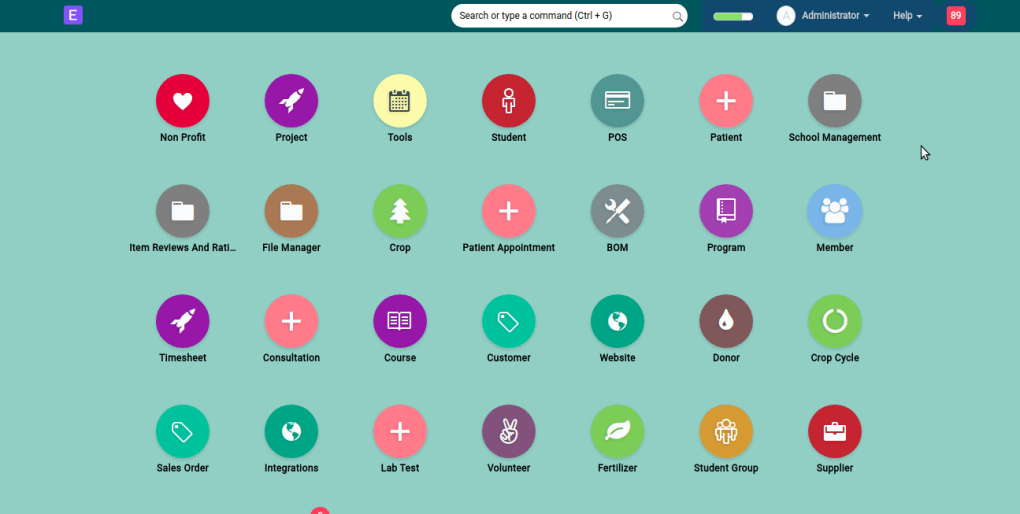
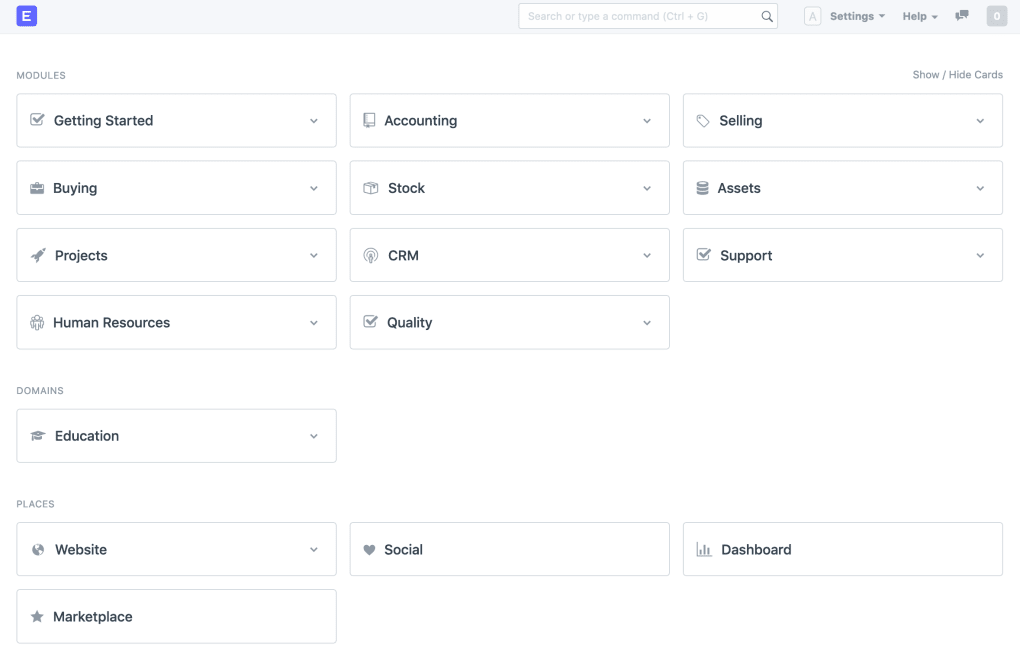
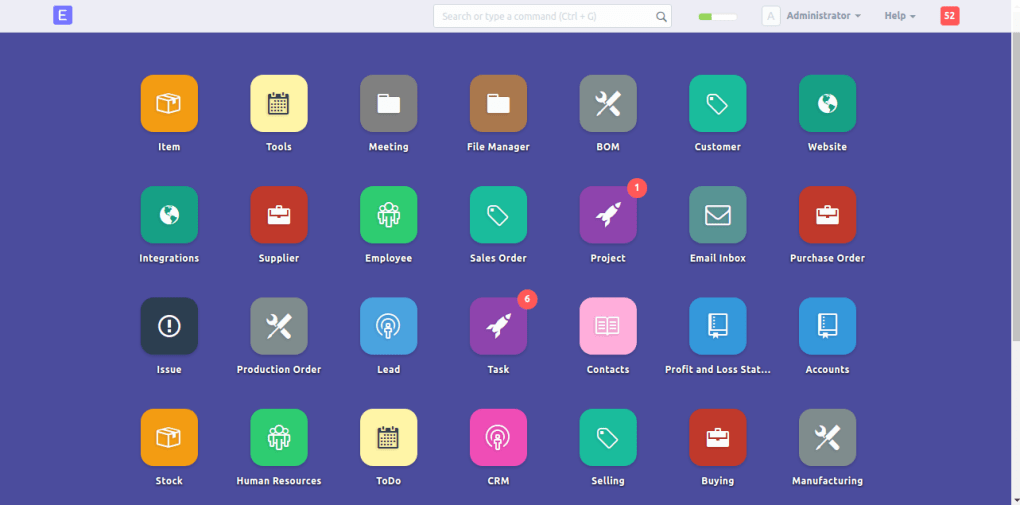
ERPNext is a free, open‑source enterprise resource planning (ERP) system created by Frappe Technologies. Designed as an all‑in‑one cloud‑based business solution, it bundles more than a dozen modules that cover the entire lifecycle of a small‑to‑medium organization. From purchase orders and inventory tracking to customer relationship management (CRM), human resources, payroll, project management, and even website publishing, ERPNext aims to replace a patchwork of disconnected tools with a single, integrated platform.
The intuitive web interface lets administrators spin up a new company in minutes, define custom fields, and assign role‑based permissions without writing a line of code. While the system shines for service‑based firms, manufacturers, retailers, distributors, health‑care providers, and educational institutions, it is deliberately lightweight for larger enterprises that require deep‑scale customizations. Documentation is comprehensive yet occasionally dated, so new users may need to rely on community forums or paid support for complex setups.
Overall, ERPNext offers a secure, regularly updated environment that can be self‑hosted or run on ERPNext’s managed cloud, making it a flexible choice for budget‑conscious businesses looking for a robust ERP without licensing fees.
Core Features at a Glance
- Accounting & Finance: General ledger, multi‑currency support, tax calculations, and automated bank reconciliation.
- Inventory & Stock Management: Real‑time stock levels, bin locations, batch tracking, and built‑in valuation methods.
- Purchase & Supplier Portal: Create purchase orders, request quotations, and manage supplier contracts from a single dashboard.
- Sales & CRM: Lead capture, quotation generation, order processing, and integrated email communication.
- Human Resources: Employee records, payroll processing, leave management, expense claims, and appraisal workflows.
- Project & Task Management: Kanban boards, Gantt charts, timesheets, and milestone tracking for agile teams.
- Manufacturing: Bill of Materials (BOM), work orders, job cards, and shop floor control for discrete and process manufacturing.
- Website Builder & E‑Commerce: Drag‑and‑drop site creation, blog publishing, product catalog, and integration with Shopify, WooCommerce, and Stripe.
- Integrations & API: REST API, Webhooks, Email, Dropbox, Google Drive, and third‑party marketplace connectors.
- Reporting & Analytics: Custom dashboards, KPI widgets, and exportable reports in CSV, PDF, or Excel formats.
Installation & Usage Instructions
Step‑by‑Step Setup for Self‑Hosted Deployments
Getting ERPNext up and running is straightforward for users familiar with Linux servers. Begin by provisioning a fresh Ubuntu 22.04 LTS instance (or a compatible Debian‑based distro). Install Docker and Docker‑Compose, which are the recommended containers for the official ERPNext image. Run the following commands to pull the latest release:
sudo apt update && sudo apt install -y docker.io docker-compose
git clone https://github.com/frappe/bench
cd bench
./install.py --production
The installer will create a new site, set up MariaDB, Redis, and a secure Nginx reverse proxy. Once the process finishes, navigate to https://your-domain.com and log in with the admin credentials generated during installation. From the dashboard, you can create a new company, select a fiscal year, and enable the modules you need (e.g., Accounting, Inventory, HR). The “Setup Wizard” walks you through chart of accounts, default currency, and tax rules, ensuring the system aligns with local regulations.
Using the Managed Cloud (Optional)
If you prefer not to maintain server infrastructure, ERPNext offers a managed cloud service. Simply sign up at erpnext.com, choose a subscription tier (the free tier includes up to five users), and the platform provisions a dedicated instance for you. The web UI is identical to the self‑hosted version, but you benefit from automatic backups, security patches, and 24/7 monitoring. After registration, use the “Create Company” wizard to define your business units, import existing data via CSV, and start assigning roles to team members.
Compatibility, Pros & Cons
ERPNext runs on any modern web browser (Chrome, Edge, Firefox, Safari) and is compatible with Windows, macOS, Linux, Android, and iOS devices through its responsive UI and dedicated mobile apps. The server side requires a Linux environment, but the client side works seamlessly on desktops, tablets, and smartphones, making remote work and field operations effortless.
Pros
- Completely free and open‑source – no licensing fees.
- Modular architecture lets you enable only the features you need.
- Strong community support with active forums and GitHub contributions.
- Native integrations with popular e‑commerce platforms and cloud storage services.
- Responsive design and mobile apps for on‑the‑go access.
- Regular security updates and transparent roadmap from Frappe Technologies.
Cons
- Documentation, while extensive, can be outdated for the newest releases.
- Performance may degrade with very large data volumes; not ideal for enterprise‑scale deployments.
- Initial setup requires basic Linux and Docker knowledge for self‑hosting.
- Advanced customizations often need Python or JavaScript expertise.
- Limited out‑of‑the‑box industry‑specific templates compared to some commercial ERPs.
Review Summary: ERPNext delivers a comprehensive suite of business tools without the price tag of traditional ERP solutions. Its open‑source nature encourages customization, while the modern UI keeps daily operations intuitive. Small to midsize businesses will find the platform more than capable, though larger enterprises should evaluate scalability needs. Overall rating: 4.3/5.
Frequently Asked Questions
Is ERPNext truly free for commercial use?
Yes. ERPNext is released under the GNU GPL v3 license, which allows businesses of any size to download, install, and use the software without paying licensing fees. Optional paid services (hosted cloud, premium support) are available but not required.
Can I migrate data from an existing ERP system to ERPNext?
Yes. ERPNext provides built‑in import tools for CSV and Excel files and a robust REST API for automated migrations. The community also shares migration scripts for popular systems like Odoo, SAP Business One, and QuickBooks.
What level of technical support is available?
Free community support is available via the official forum, Discord channel, and GitHub issues. For faster response times and SLA guarantees, Frappe Technologies offers paid support plans ranging from $49/month to $399/month.
Is ERPNext compliant with GDPR and other data‑privacy regulations?
ERPNext includes built‑in data‑privacy controls such as user consent logs, data‑subject request handling, and the ability to delete or anonymize records. When hosted on the ERPNext cloud, the service operates from EU data centers, helping businesses meet GDPR requirements.
Can I customize the UI or add new modules?
Absolutely. ERPNext is built on the Frappe framework, which lets developers create custom DocTypes, scripts, and web templates. The platform also supports plug‑ins, allowing you to extend functionality without altering core code.
Conclusion & Call to Action
ERPNext stands out as a powerful, free alternative to costly proprietary ERP suites. Its breadth of modules—from accounting and inventory to HR and website building—covers virtually every operational need of a small or midsize organization. While the learning curve for self‑hosting can be modest and documentation may require occasional community assistance, the payoff is a fully integrated, secure system you can tailor to your unique processes. If you’re ready to consolidate disparate tools into a single, open‑source platform, download ERPNext today or sign up for the managed cloud to start a risk‑free trial. Experience the freedom of owning your business data, scaling at your own pace, and eliminating recurring license fees—all while benefitting from a vibrant global community.



.png)



